Home  | Retro UNIX 386 v1.1  |  Retro UNIX 8086  | Files  | Links  | Screenshots | TRDOS 386

Multi User

Multi Screen

Multi Tasking


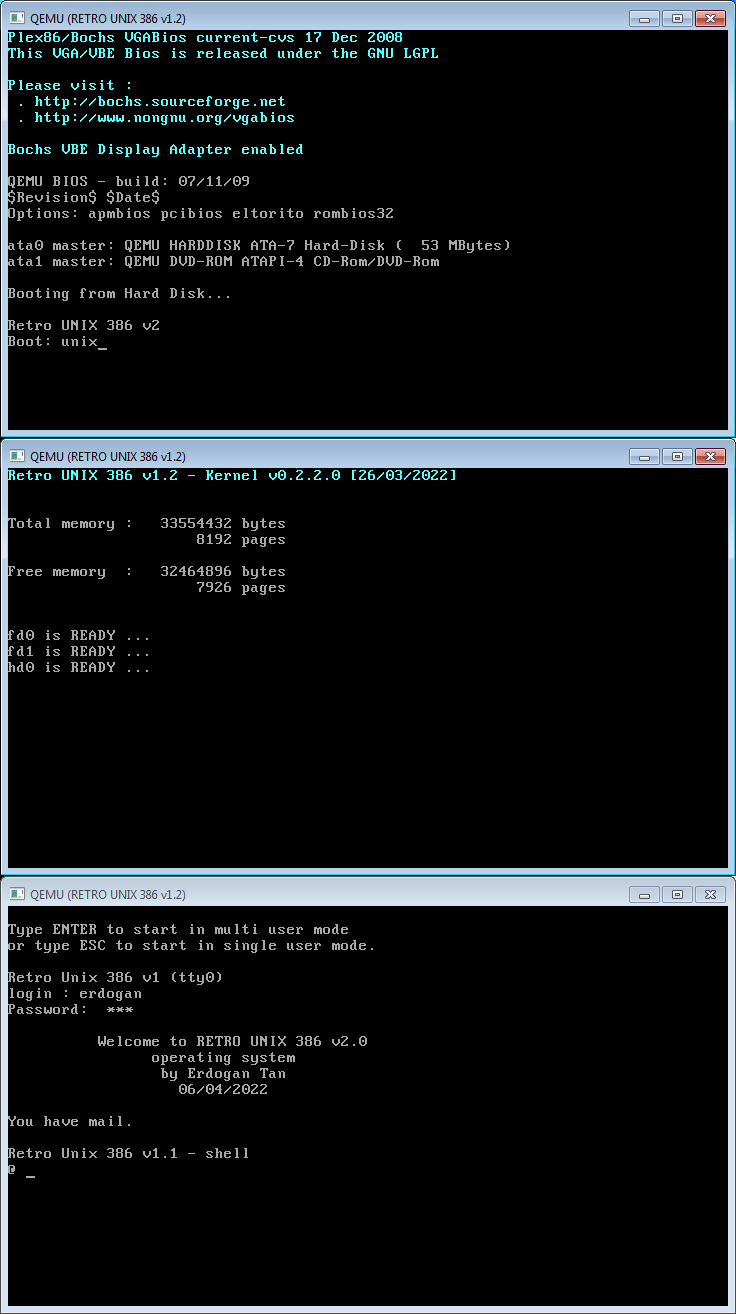
Retro UNIX 386 v1.2 hd0 start screen


RETRO UNIX 386 v1.2 (Retro UNIX v2 file system) :   (intermediate version between v1.1 and v2.0)


            Complete kernel source code: unix386.txt  - Retro UNIX kernel version: 0.2.2.4 -

Kernel Files:


unix386.s u0.s u1.s u2.s u3.s u4.s u5.s u6.s u7.s u8.s u9.s ux.s memory.s sysdefs.s

diskinit.s diskdata.s diskbss.s diskio.s

keyboard.s kybdata.s

video.s vidata.s

Kernel files are in runix386v1.2_kernel_src sub directory of www.singlix.com/runix/ web site


Assembler:

NASM v2.15  (nasm unix386.s -l unix386.txt -o unix386 -Z error.txt)

Installers:  (dos programs which can run on 32 bit windows)

fdimage.com hdimage.com unixfdfs.com unixhdfs.com unixcopy.com unixhdcp.com (dos)

fdisk3.com fdisk4.com (dos) & rawwrite.exe (windows)


Installation files are in runix386v1.2_install_src sub directory of www.singlix.com/runix/ web site

Boot (Startup File): boot source code: boot5.asm
Default Kernel name: unix source code: retrounix386_v12_kernel_src.zip


Unixfdfs readme file: unixfdfs_readme.txt

Unixcopy readme file: unixcopy_readme.txt

Bootable (1.44MB) floppy disk images, (54MB) hard disk images and EMULATORS:

runix386_v1.2_2022_bochs.zip

runix386_v1.2_2022_qemu.zip

            Other files are in runix386v1.2 directory

           Retro UNIX 386 v1.2 (unix v1 clone/port on runix v2 fs) Operating System Initialization Files:

           init8.s (etc/init) getty3.s (/etc/getty) login1.s (/bin/login) sh1.s (/bin/sh)
           passwd.txt (/etc/passwd) motd.txt (/etc/motd)
 

           Basic Utilities: ls2.s (/bin/ls) cat1.s (/bit/cat) cls.s (/bin/cls) ctime386.s (/bin/ls)
           Sample Programs:
hello.s args.s forktest.s clock.s scancode.s ttydemo.s mkdir2.s rmdir3.s

1.44 MB Bootable floppy disk image: fd0.zip   54 MB Hard disk image: hd0.zip


type "unix" at boot prompt then type ESC key or ENTER key when it is requested

(Retro UNIX 386 v1.2 Kernel v0.2.2.3 will run)
type ALT + F2, ALT + F3, ALT + F1, ALT + F4 ... ALT + F8 keys for multiscreen test

At first, /bin/sh will run (if you press ESC key when it is requested); then you can write 'ls -l .' at the command prompt (/bin/ls will run);

other test programs: /usr/bin/hello, /erdogan/args, /erdogan/forktest, /erdogan/ttydemo, /erdogan/scancode.


Note: Type '?' at boot prompt to see valid boot commands

ALL FILES: https://www.singlix.com/runix/runix386v1.2/


Retro UNIX 386 v2 Operating System : (Not ready yet!)

Files: https://www.singlix.com/runix/runix386v2/

ALL Files: https://www.singlix.com/runix/files.html


Last Update: 27/12/2022